
Cross-platform Rufus and Etcher alternative
Create bootable USB drives.
Find and download images from DistroWatch. Write them from the GUI, TUI, or Omarchy bar. Verify the drive after writing.
- Linux x86-64
- Windows 10+ x86-64
- macOS Apple Silicon
independent project Rust · Apache-2.0 · built in the open
Process
Write workflow
- 01SourceCatalog or local file
- 02DriveWhole removable disk
- 03ReviewExact operations
- 04WriteWrite helper
- 05VerifyRead-back or media check
Safety
Drive checks and verification
Before erasure
- Only whole USB-attached or explicitly removable disks.
- Fixed, system, read-only, undersized, and partition targets rejected.
- Source, drive, operations, and data loss shown before confirmation.
- Drive identity checked again before writing.
After writing
- Exact written range read back and compared with SHA-256.
- Compressed sources compared after expansion.
- Windows boot files, payloads, WIM parts, and FAT32 limits checked.
- Failed or cancelled drives marked incomplete.
Verification checks bytes or Windows media files. It does not test installation.
Safety design →Features
Supported files and tools
- Raw and compressedISO, IMG, RAW, XZ, gzip, Zstandard, and bzip2; expanded size measured before review
- Windows installersGPT or MBR, FAT32, split WIM, ten setup choices, boot-tree audit
- Download integrityMD5, SHA-1, SHA-256, and SHA-512; mismatch blocks writing
- Drive toolsBad-block and fake-capacity checks; RAW backup on Linux and macOS
Interfaces
Same features in the GUI and TUI
TUIMouse + keyboard
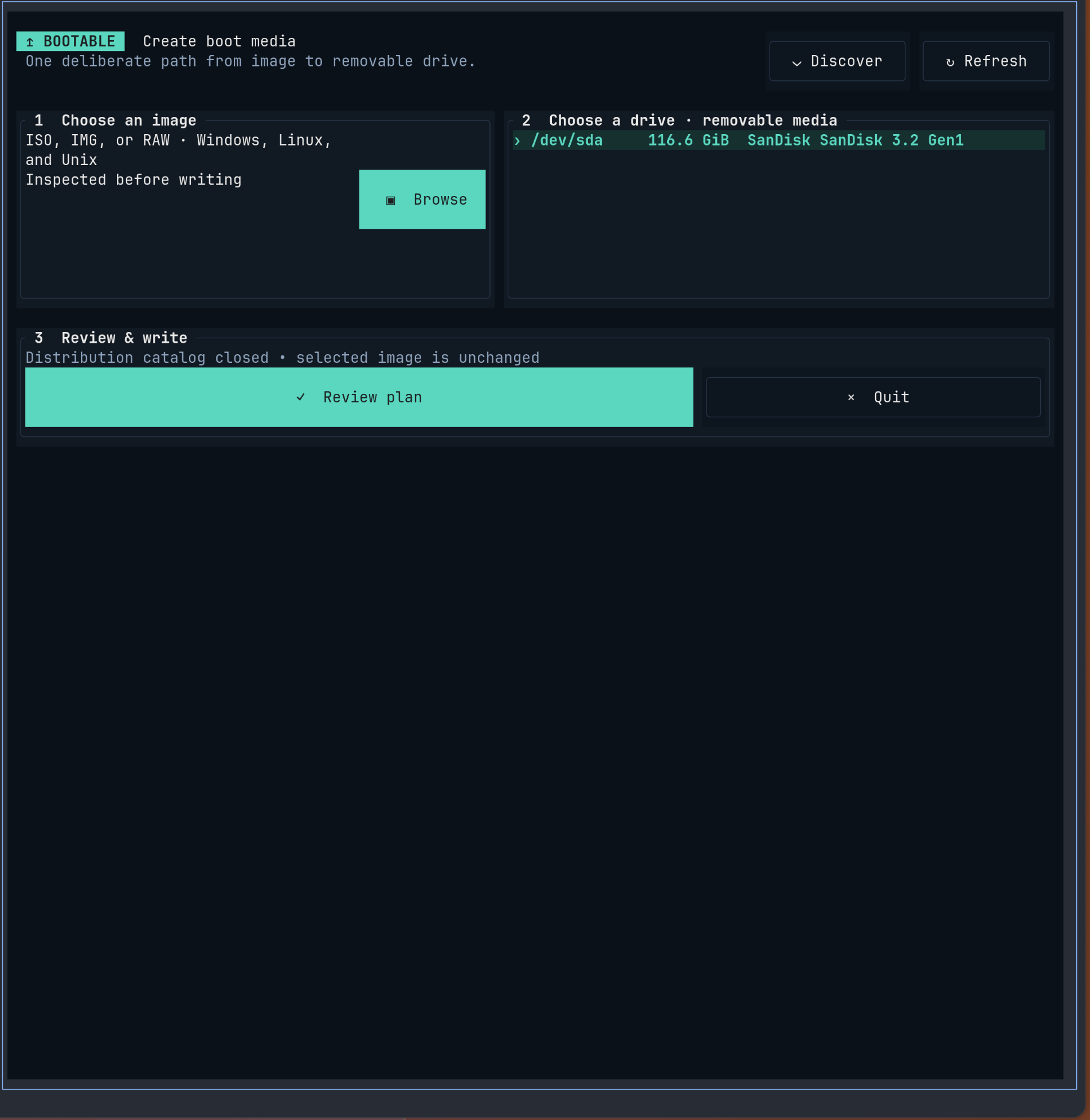
Both interfaces use the same write plan and helper.
- Same labels, order, and options
- Same progress and cancellation
- Same errors, recovery, and retries
Administrator access
Only the write helper is elevated
The GUI, TUI, downloads, catalog, and image parser run as the current user. A fixed helper gets administrator access after you approve a write.
Read the architecture- 01Open sourceReview the code, safety design, tests, and release history.
- 02Release checksEach archive includes a SHA-256 file and GitHub build provenance.
Guides
Task guides
Windows 11 USB on LinuxWindows · LinuxWindows 11 USB on macOSWindows · macOSWrite an ISO to USBISO · USBWrite a Raspberry Pi imageIMG · SDWrite compressed imagesXZ · GZ · ZST · BZ2Verify boot mediaChecksums · read-backDrive safetyDrives · accessTerminal writerTUI · CLIOmarchy bar pluginOmarchy · Quickshell
Current release · 27 August 2026